![logo_with_wordmark-1.svg]](https://goteamup-8507288.hs-sites.com/hubfs/logo_with_wordmark-1.svg)
You can add account credit via a customer's profile. Here's a breakdown of how it's used:
- The account credit can be applied manually by the customer when they complete a purchase.
- If the customer owns a recurring membership, the account credit will be used against the next bill/s automatically.
- Credit is not applied to the first payment of a recurring membership automatically. The customer will need to apply this manually when they complete the purchase.
- The credit can be used in full or can be split to use across multiple purchases.
The steps
Navigate your way to Customers>> select the customer you would like to add credit to.
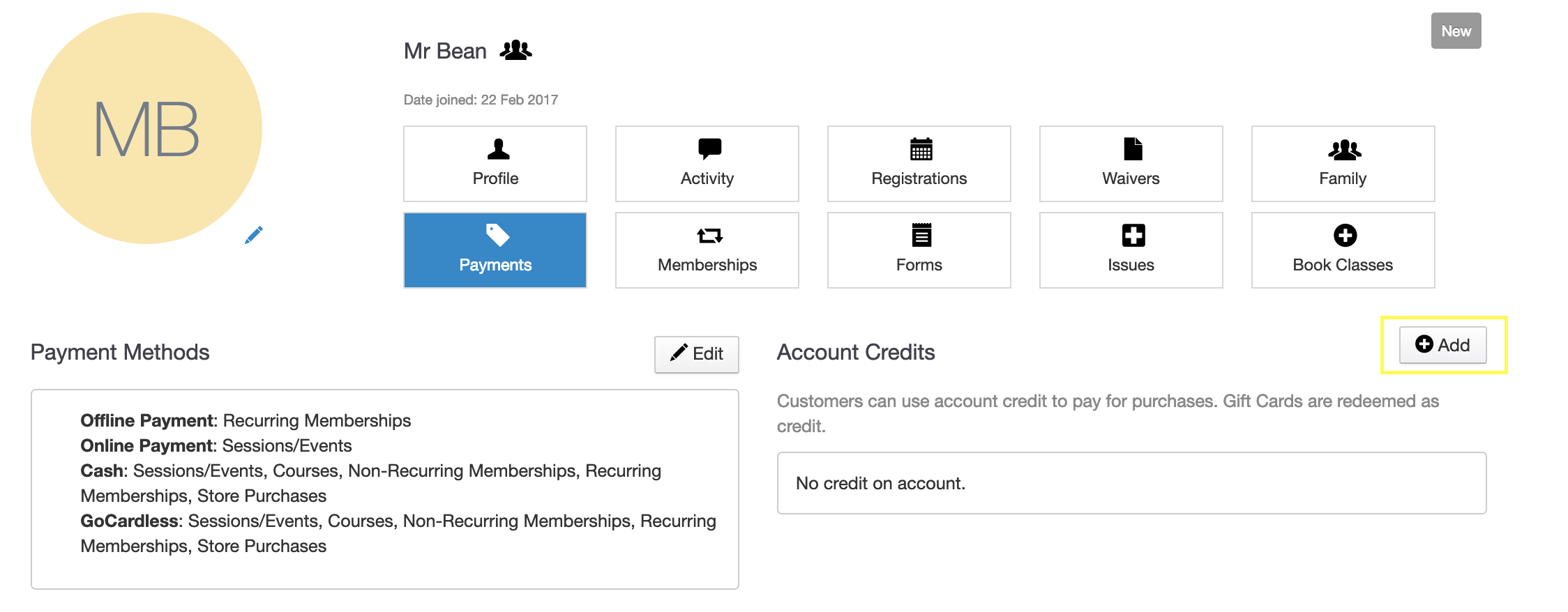
Click on the "Payments" tab, and then click "Add" next to Account Credits:
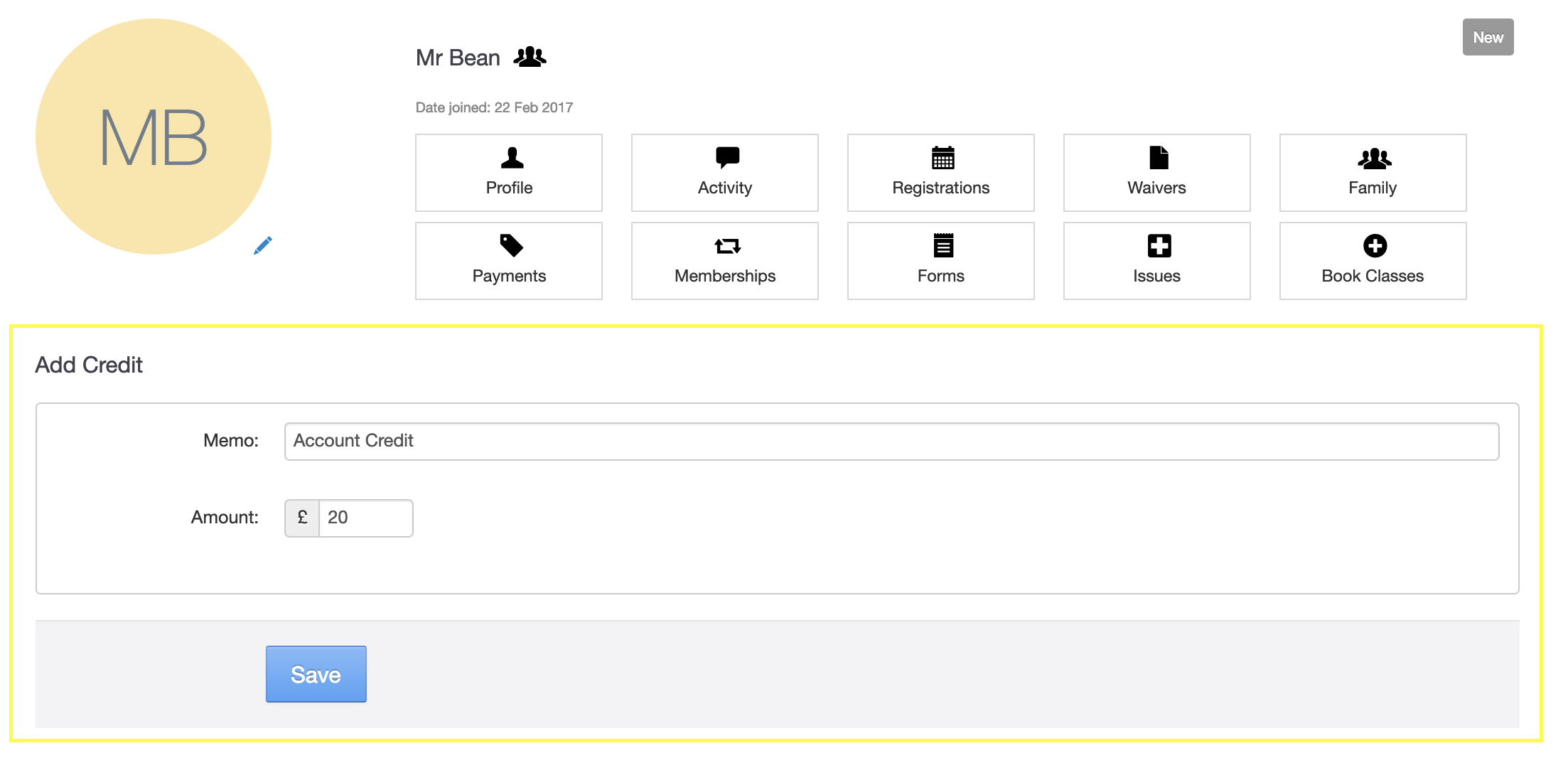
Now add a memo for the credit, and then the credit amount.
Click "Save" once you're done here.
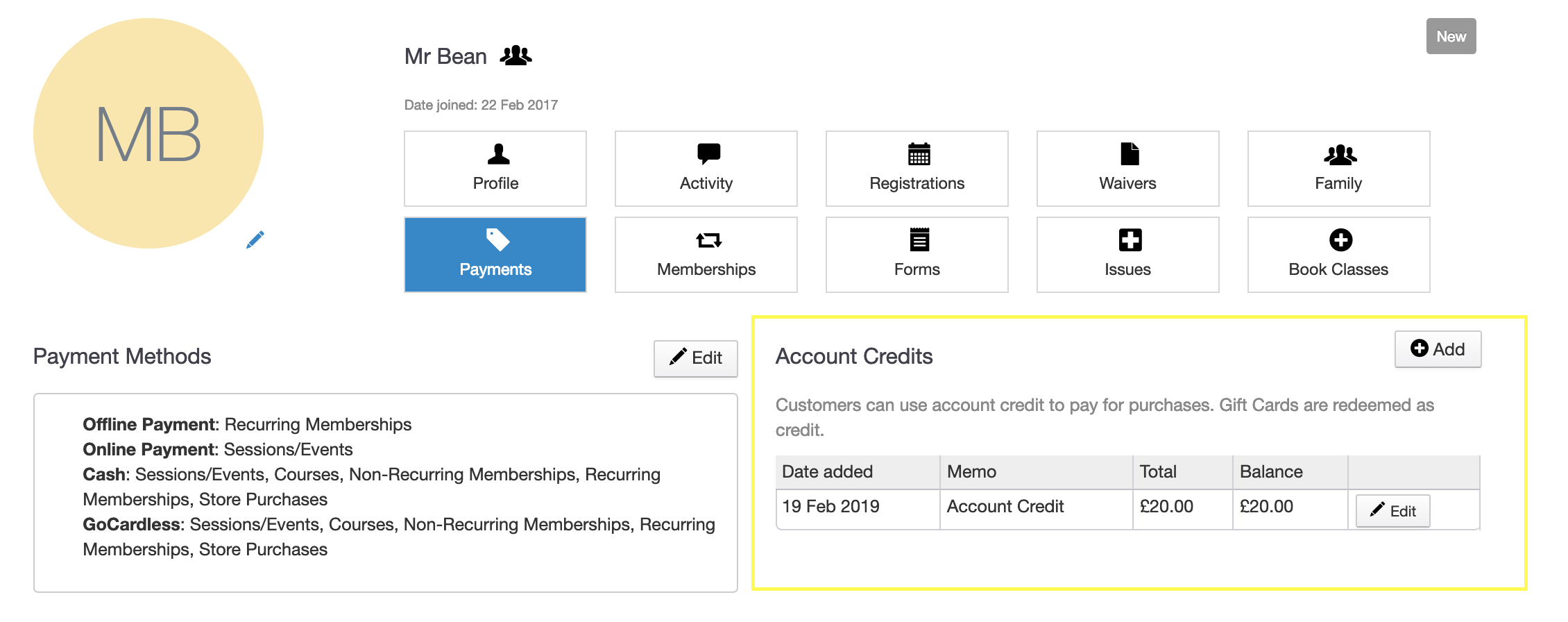
For this example, the customer now has £20 account credit to use on future purchase/s.