![logo_with_wordmark-1.svg]](https://goteamup-8507288.hs-sites.com/hubfs/logo_with_wordmark-1.svg)
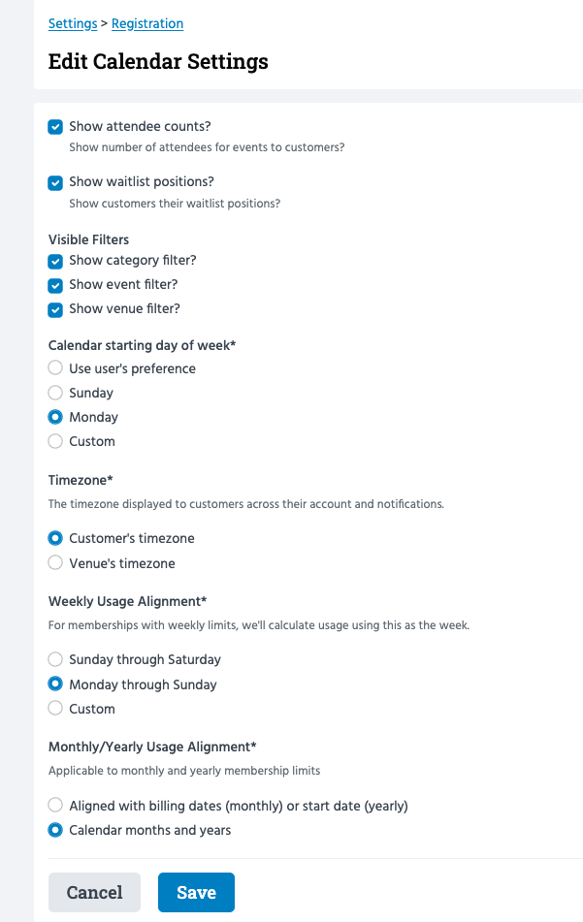
You can manage your Calendar settings from Settings >> Registration >> Calendar Settings >> click 'Edit'.
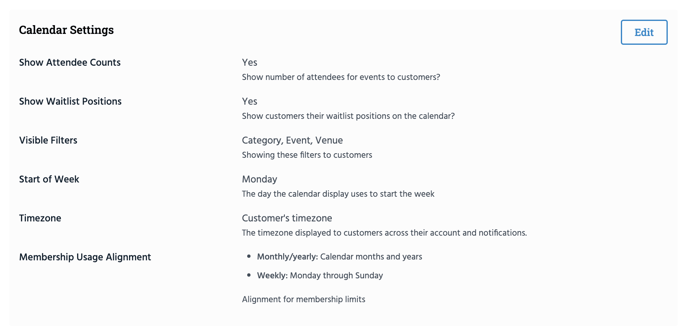
These settings allow you to control:
Show Attendee Counts - Show the number of attendees for classes and courses to customers on the calendar.
Show Waitlist Positions - Show customers their waitlist position number on the calendar.
Visible Filters - Allow customers to filter by category, event, and/or venue filter options on their calendar.
Start of Week - Determines which day of the week your calendar starts on. Choices are to use the user's preference, Sunday or Monday, or choose a custom day of the week.
Timezone - Set a timezone preference. Display times in a customer timezone, or the venue's timezone.
Membership Usage Alignment - Set alignment dates for customers' usage of their weekly memberships or monthly/yearly memberships.
Jump to:
Understanding registration settings