![logo_with_wordmark-1.svg]](https://goteamup-8507288.hs-sites.com/hubfs/logo_with_wordmark-1.svg)
The attendance download report lets you export all of your course session attendances to a .CSV file.
To view this report, head to Reports >> Classes and Courses >> Course Session Attendances , or Courses >> Reports
You have a few options to choose from before downloading the export:
-
Select your desired date range to export. Click the dropdown date selector next to 'See results from'.
-
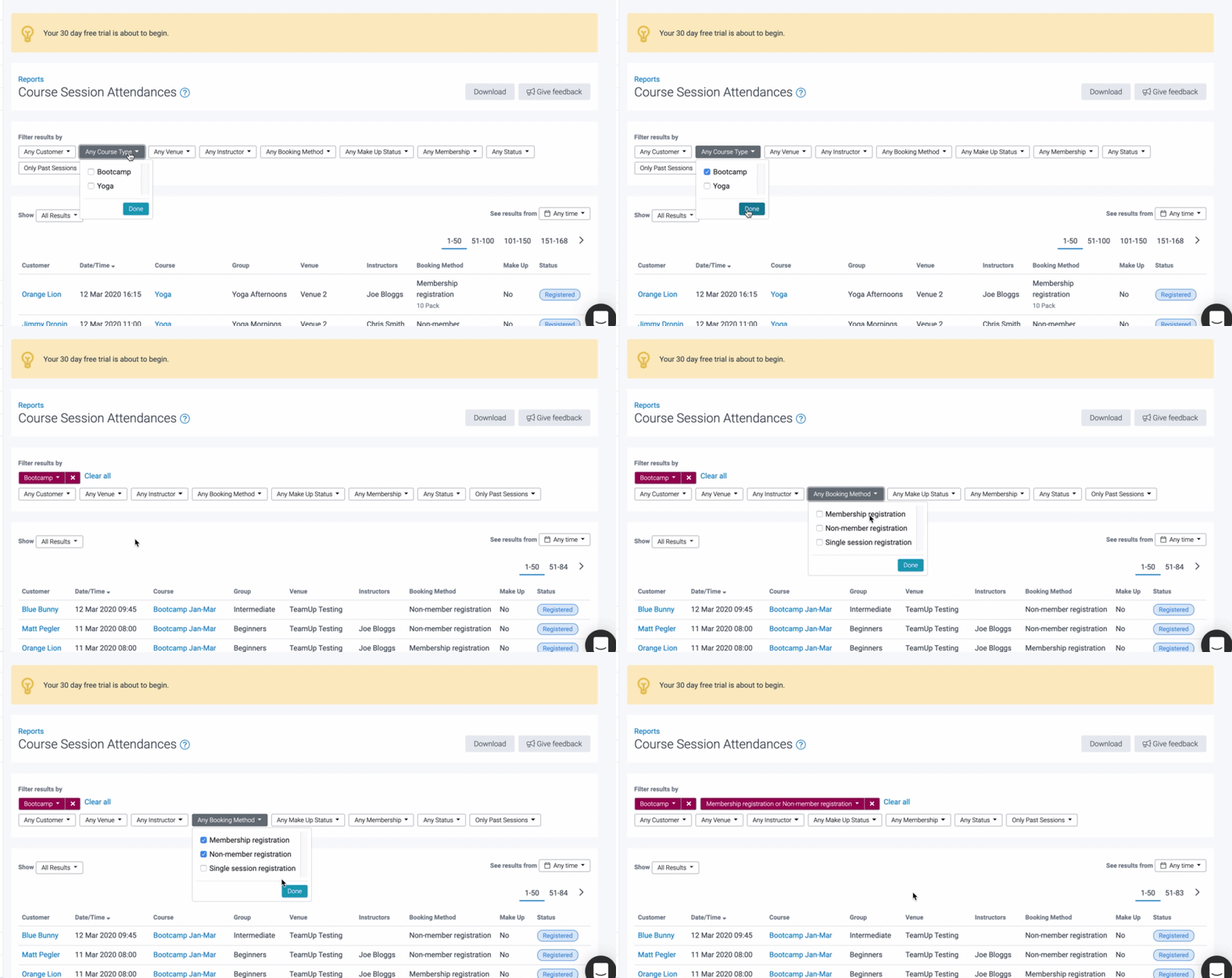
Use filters to narrow down results. For example, you might choose to filter by a specific course type, booking method to exclude drop-in attendances and by status to exclude no-shows.
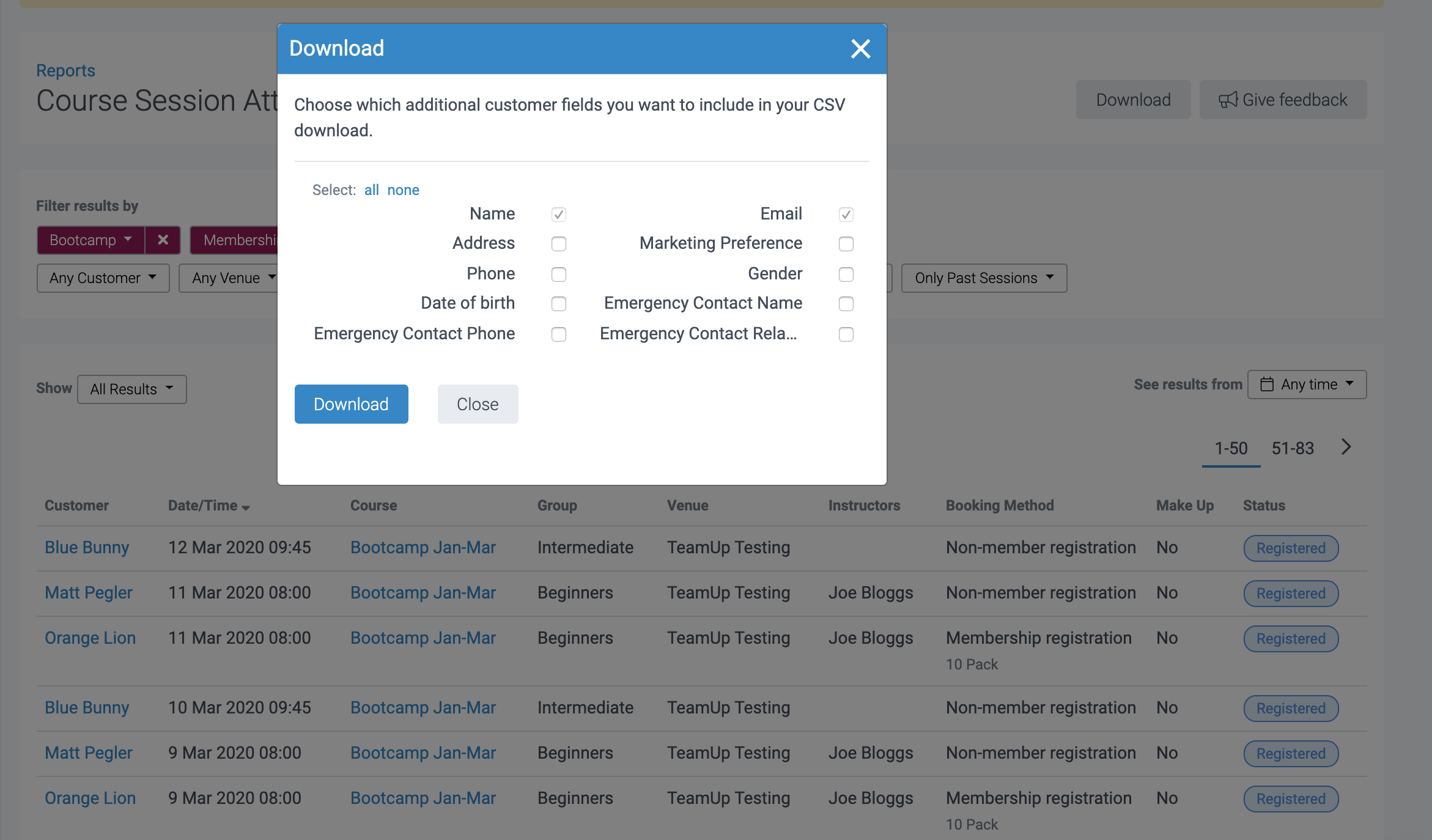
To download the report, click 'Download' and select the desired customer fields:
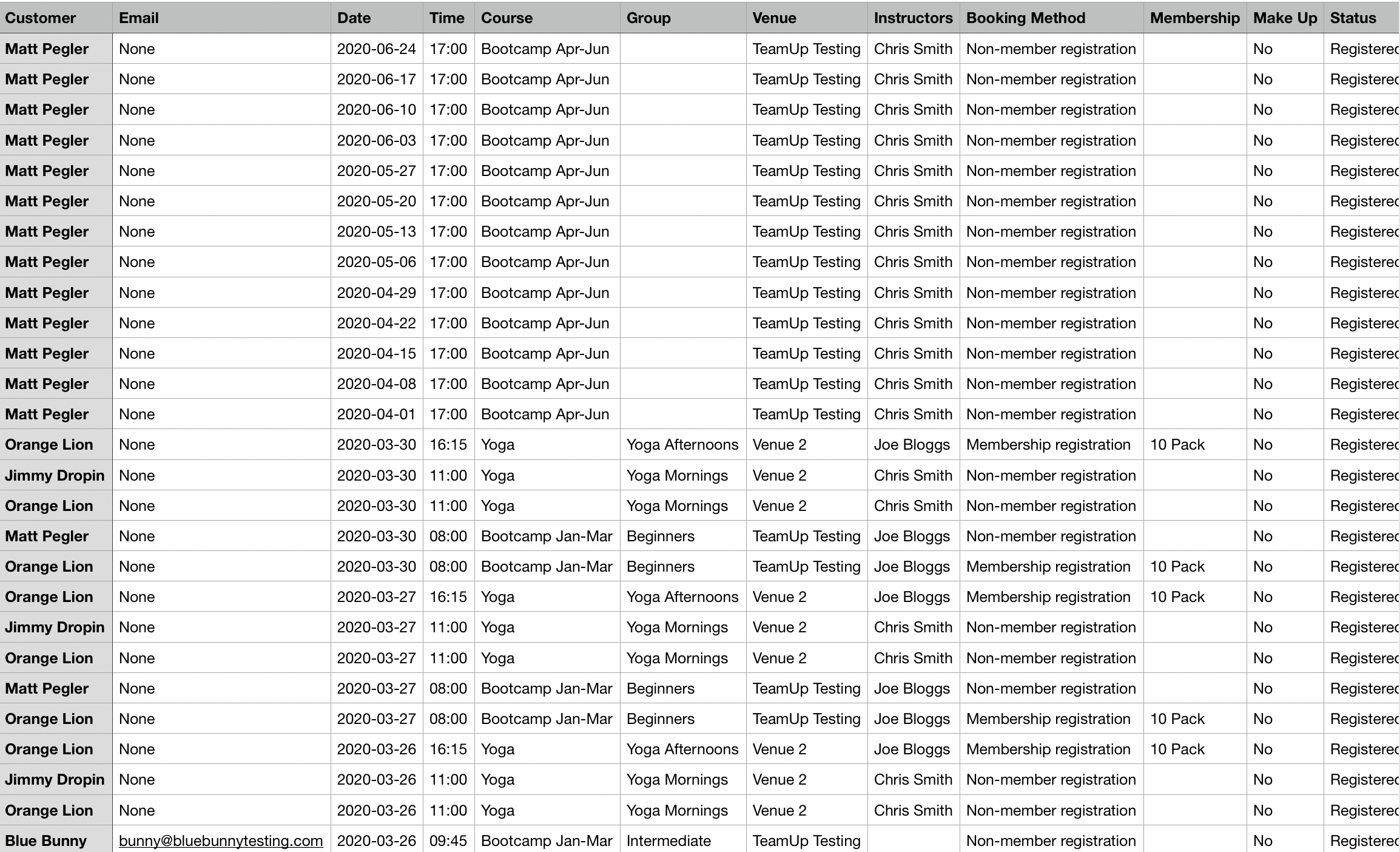
Here is an example of the data the .CSV file contains:
Jump to:
Did this answer your question?