![logo_with_wordmark-1.svg]](https://goteamup-8507288.hs-sites.com/hubfs/logo_with_wordmark-1.svg)
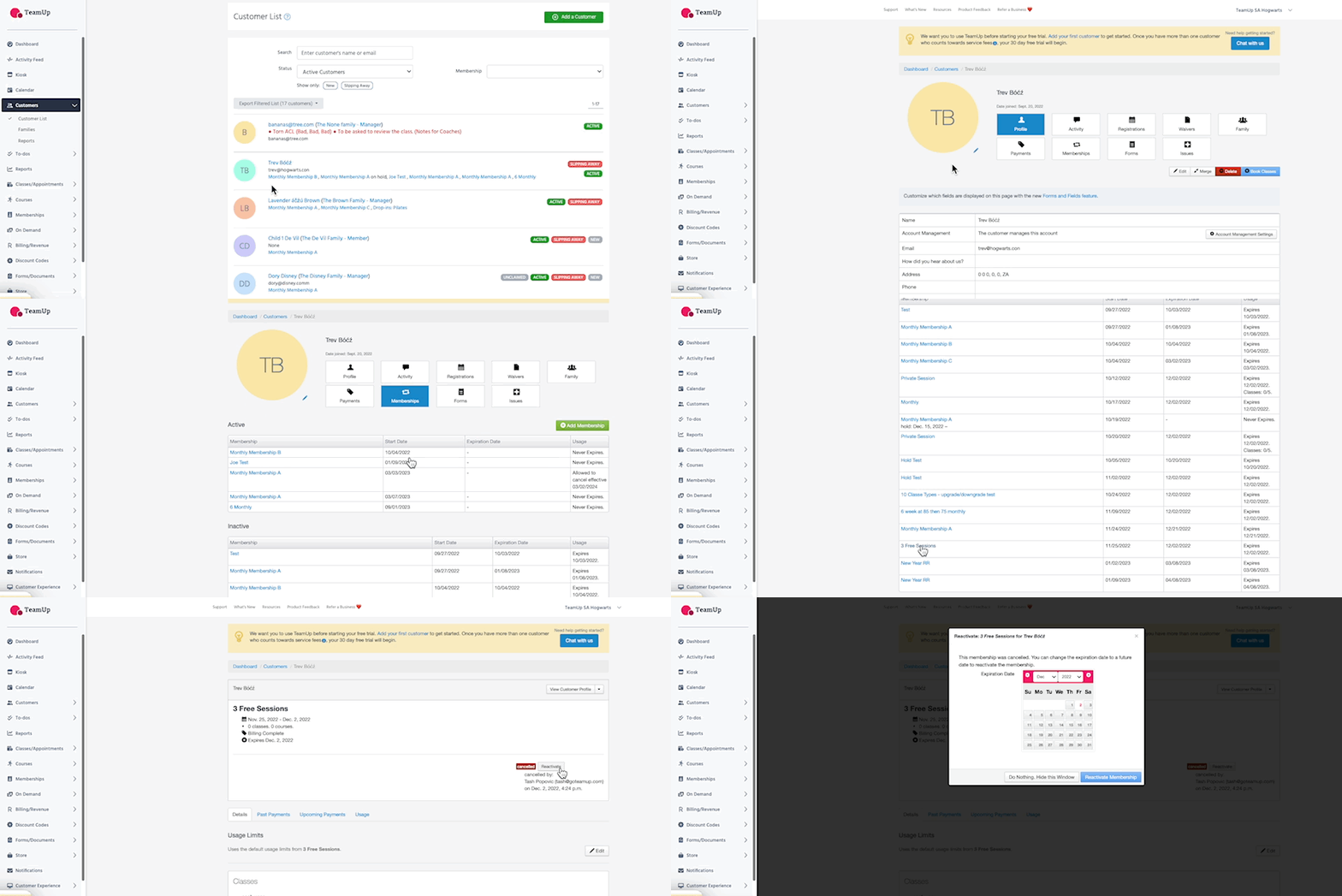
Head to Customers >> Customer List >> Select the desired customer >> Membership Tab, where we can now see all active and inactive memberships.
When you select the membership, you'll have an option to "Reactivate" it on the right.
-
You'll be asked to set a new expiry date. Please ensure you select a date in the future, past the present date i.e. year 2025.
-
The membership will be reactivated with a new expiry date, we'll hit "Edit" >> tick Never Expires.