![logo_with_wordmark-1.svg]](https://goteamup-8507288.hs-sites.com/hubfs/logo_with_wordmark-1.svg)
Colour-coding your schedule can help differentiate between these kinds of events.
Change the page colours, class type colours and font by selecting your desired types from the drop-down options.
💡When selecting a colour you'll be able to pick one from the available page colour selector, or by entering the CSS colour code (if known).
To choose, or adjust your event colours head to 🔗Customer Site >> Customer Experience >> Class Type Colours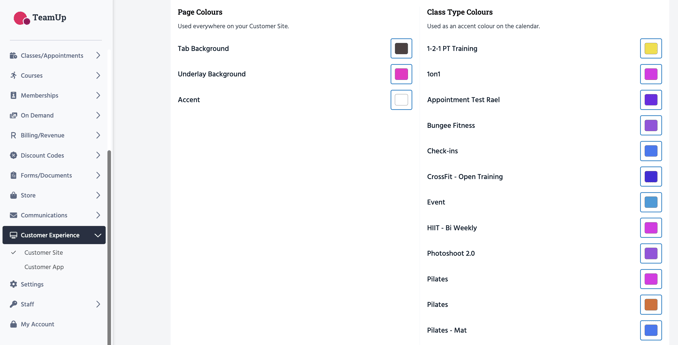
Jump to:
Customize your Customer Site