![logo_with_wordmark-1.svg]](https://goteamup-8507288.hs-sites.com/hubfs/logo_with_wordmark-1.svg)
To create a link to a product in your TeamUp store, all you need to do is:
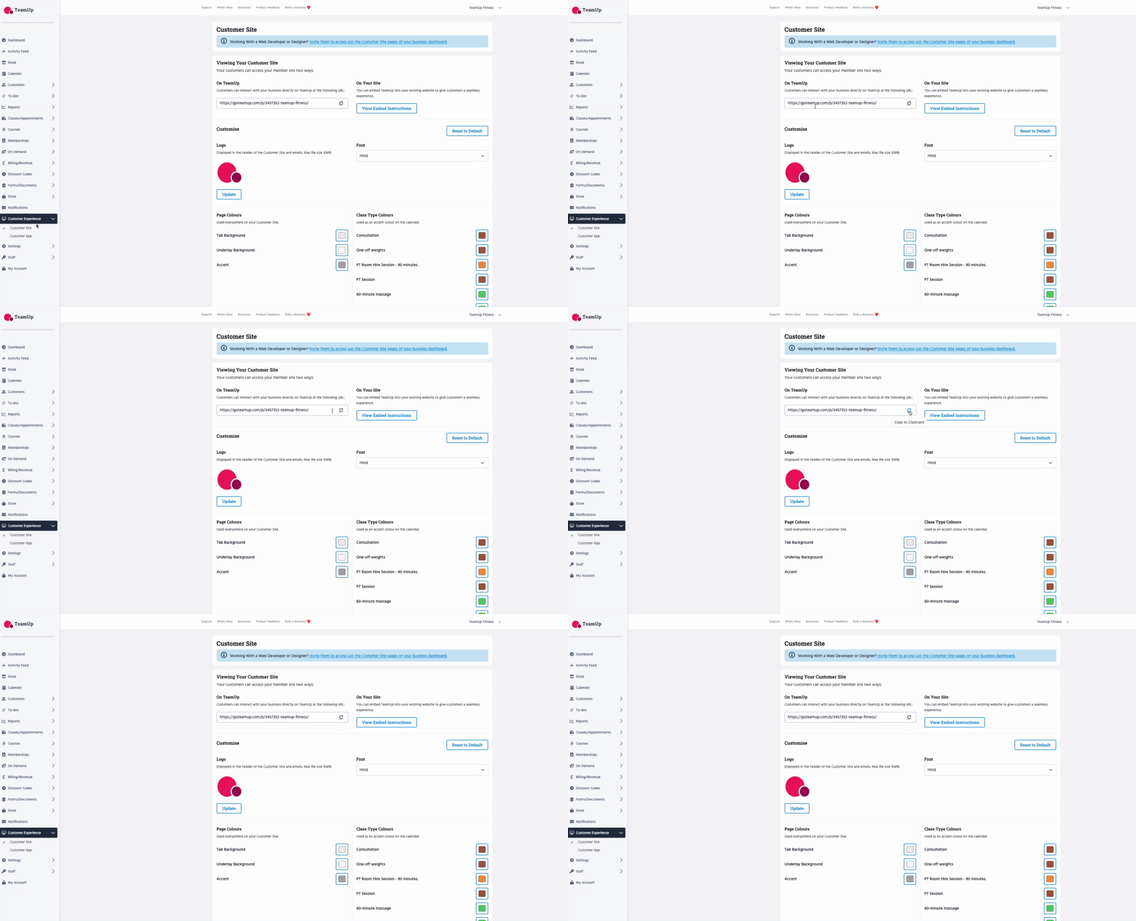
- Head to your TeamUp Customer Site. You can get the link to your Customer Site from Customer Experience >> Customer Site >> copy the link.
Paste the link into a browser tab or window: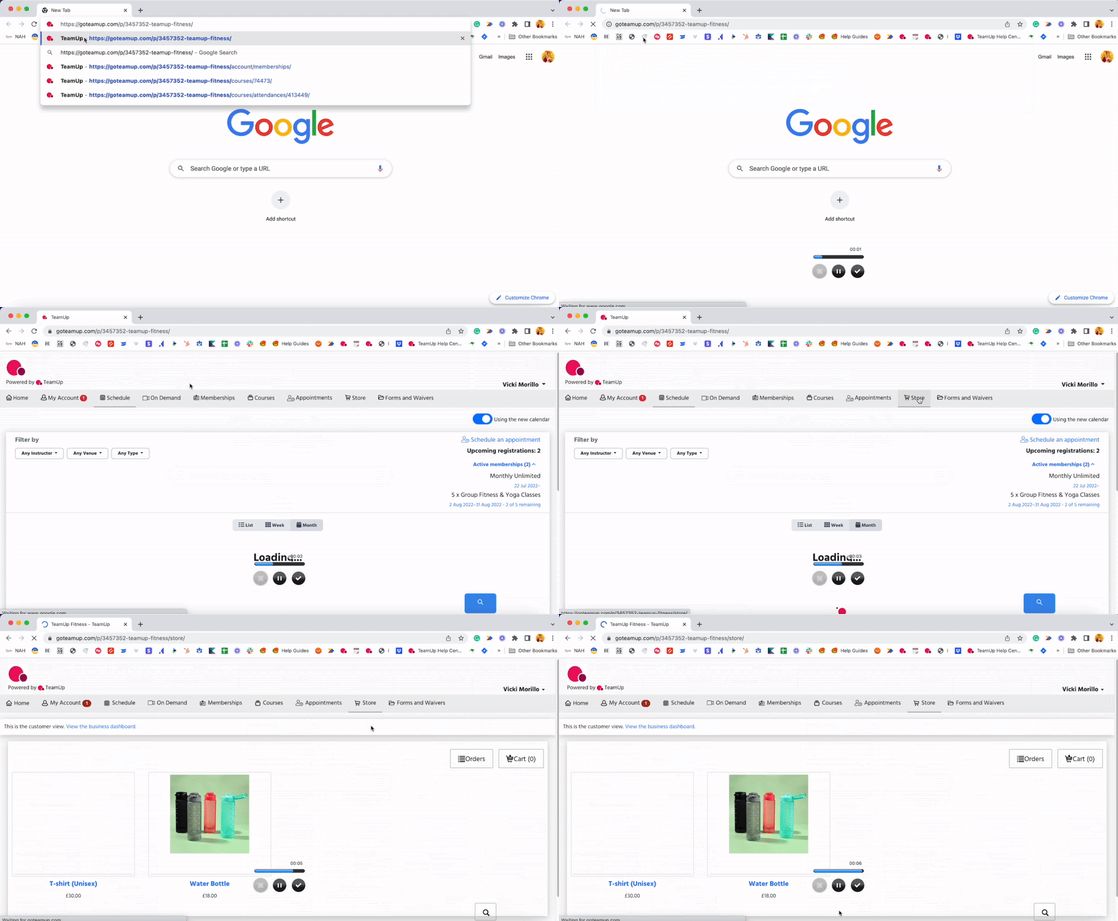
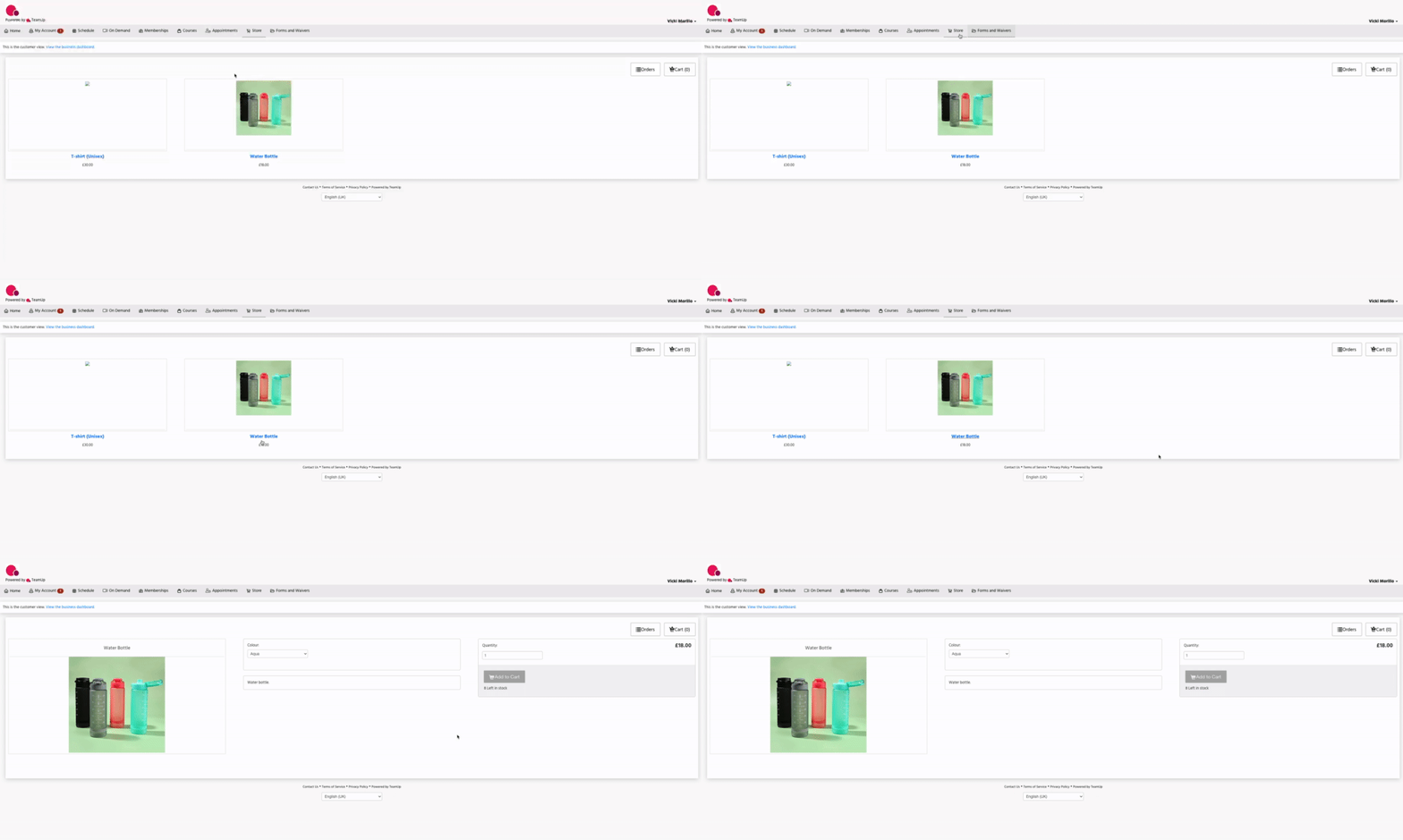
- Once you're on your Customer Site, head to the 'Store' tab and click the product you want to create the link to:
- Finally, copy the URL from your browser. This is the product's unique URL in your TeamUp store.
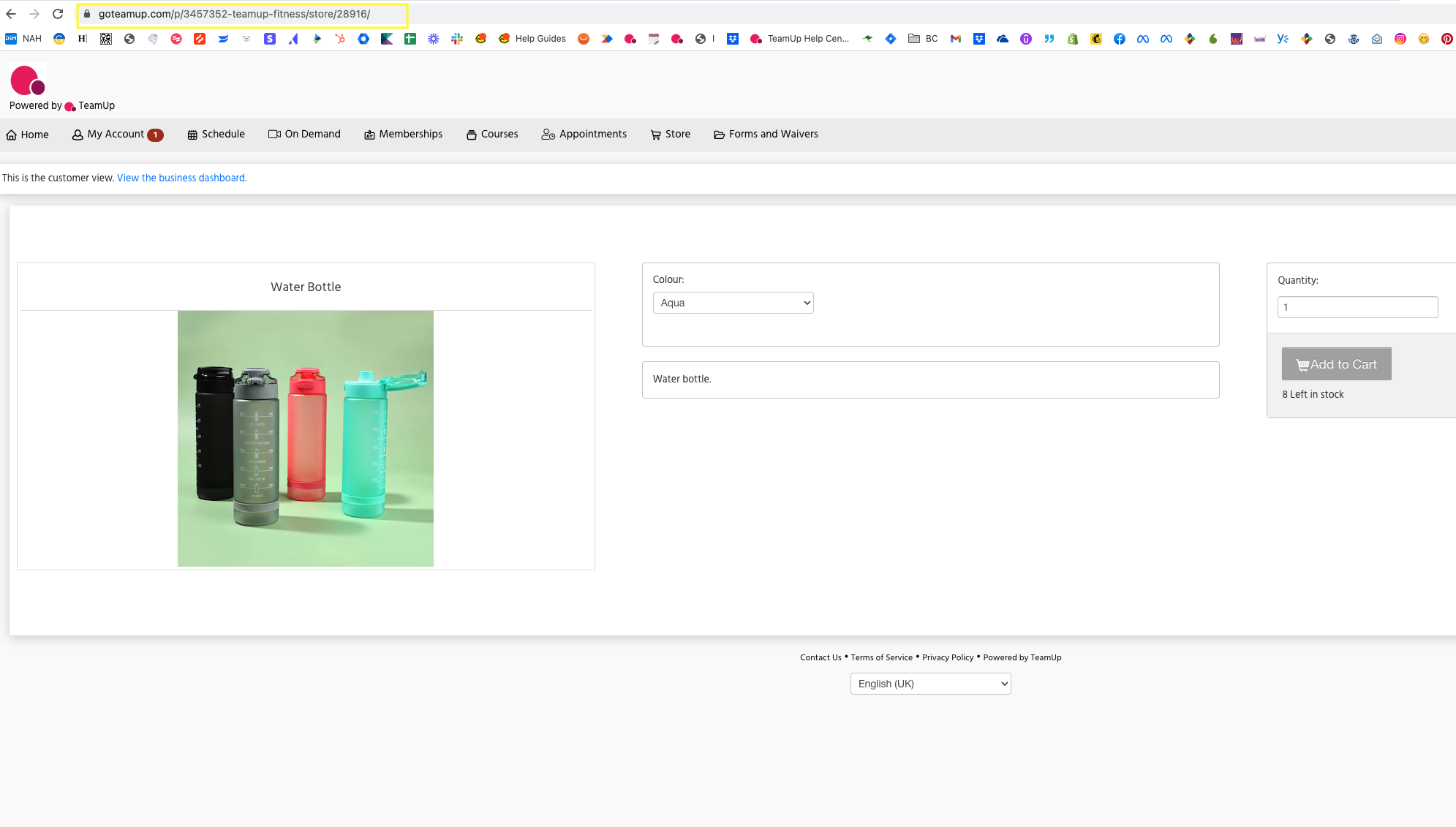
You can use this URL to create a direct link to the product from your website, social media, emails, etc., or share it via text, Whatsapp, and other messaging platforms.
Jump to: