![logo_with_wordmark-1.svg]](https://goteamup-8507288.hs-sites.com/hubfs/logo_with_wordmark-1.svg)
If you're looking to see what payments are going to be taking place tomorrow, or next month, head to 🔗 Billing/Revenue >> Upcoming Billing for more information. 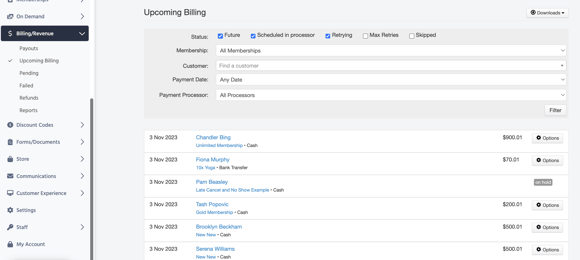
You'll be able to see the next day's scheduled payments.
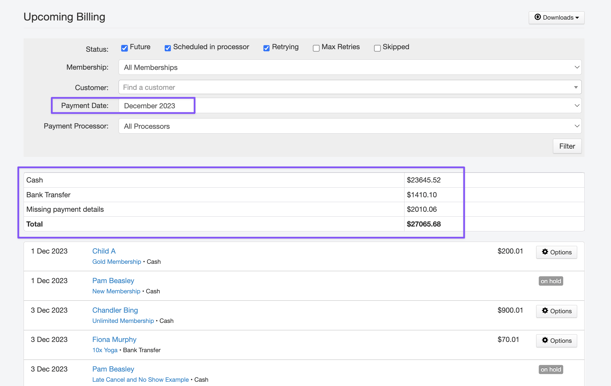
- Using the payment date filter, you can select a specific upcoming month.
- The payment processor filter will allow you to distinguish different payment methods or if a customer is missing payment details.
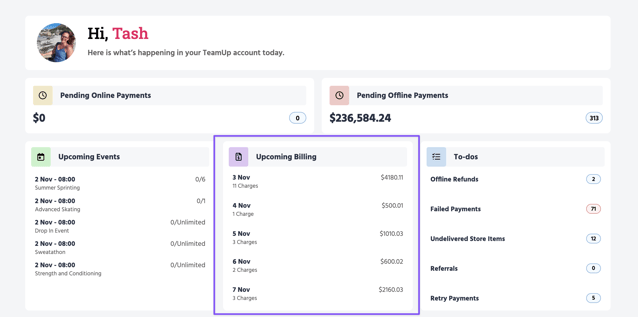
Use the quick overview on your TeamUp Dashboard
Select a day on the Upcoming Billing list to be taken to your day-to-day payment details.
Jump to
🎥 Payments, Billing, and Revenue (w/ VIDEO)