![logo_with_wordmark-1.svg]](https://goteamup-8507288.hs-sites.com/hubfs/logo_with_wordmark-1.svg)
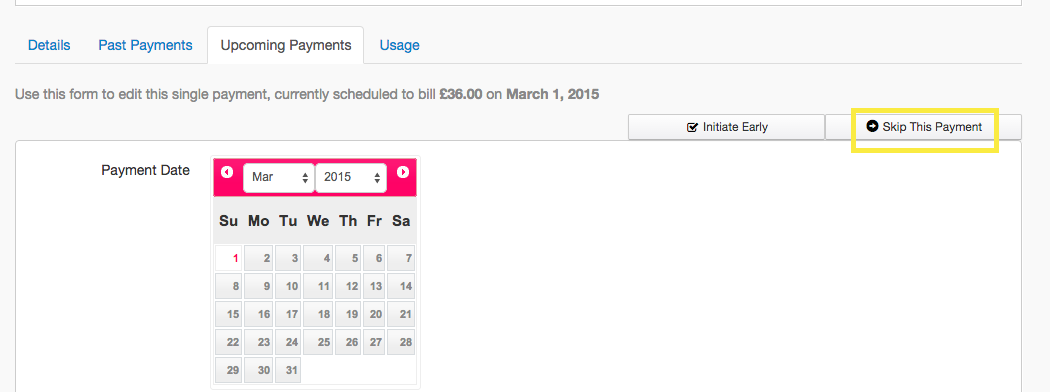
Payments can be skipped from the upcoming payments tab of a membership:
💡 Payments will also be skipped if a membership is on hold, after the payment date has been succeeded.
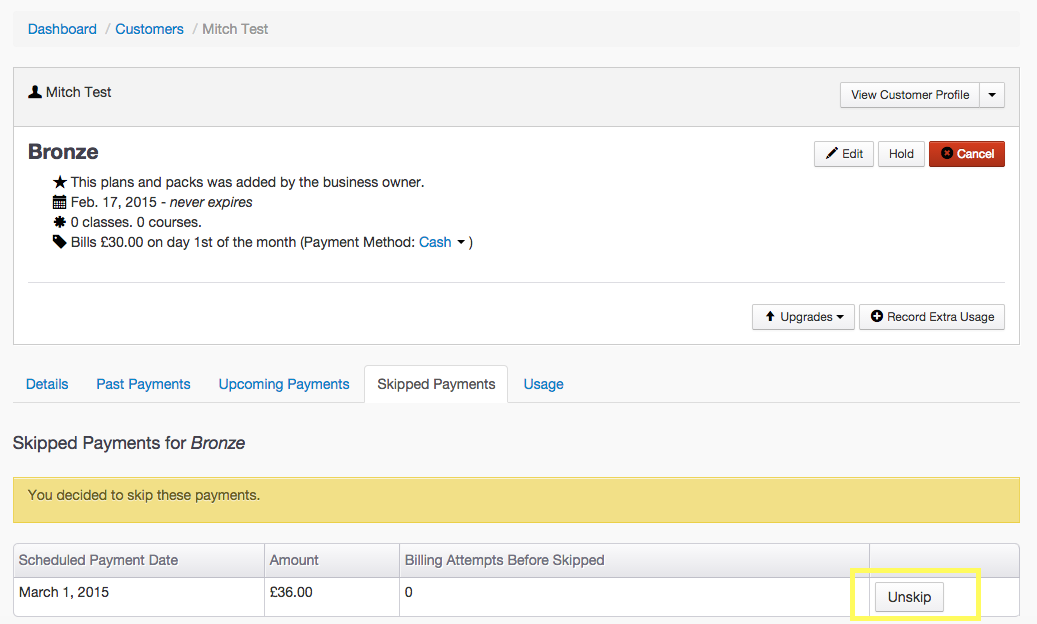
To unskip a payment:
-
Go to Customer List and select customer.
-
Go to the Memberships tab and select the relevant membership. From here you will see there is a 'Skipped Payments' tab, click on this.
-
You will now see the option to Unskip, next to any skipped payments:
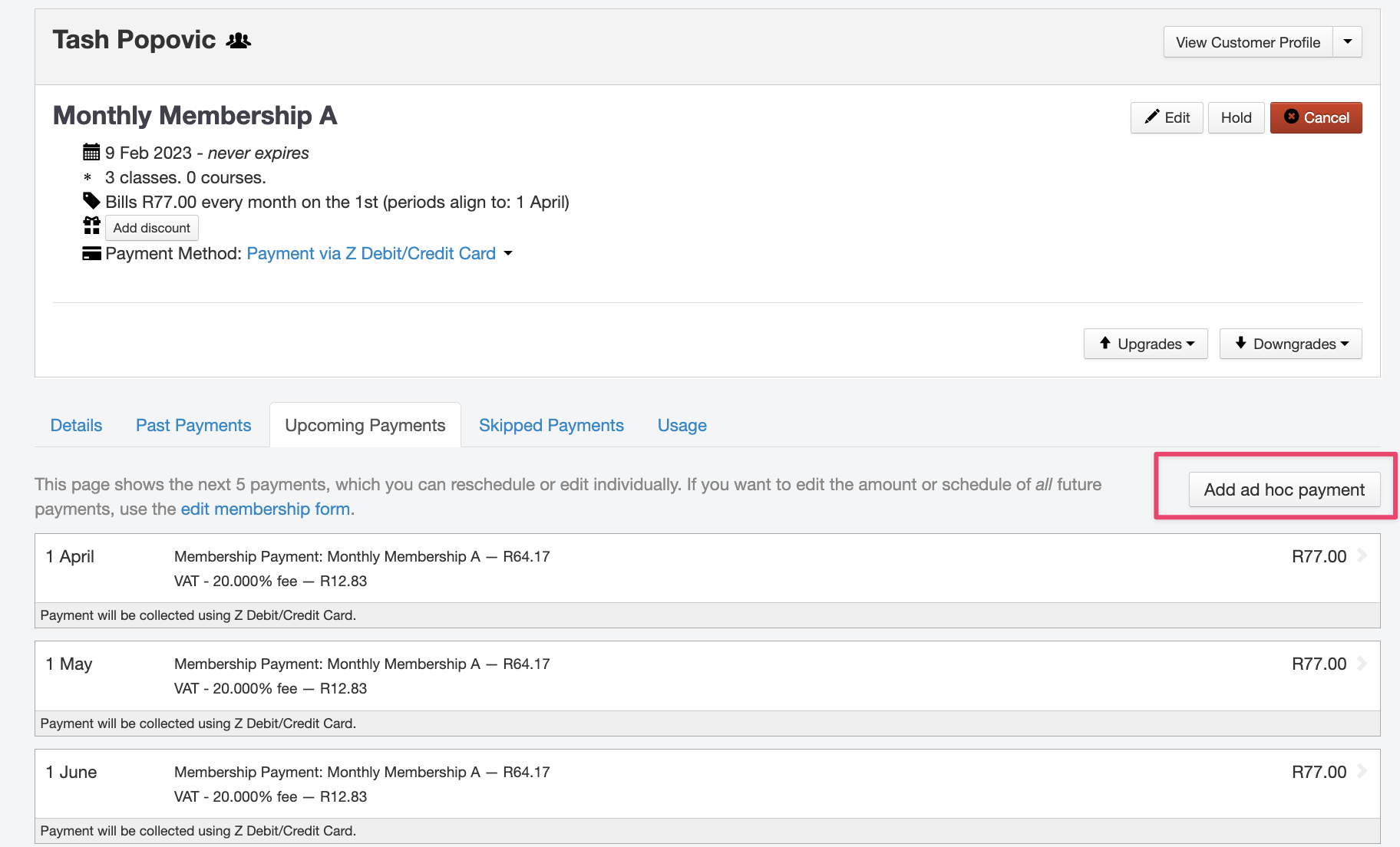
Alternatively, if you're looking to add an ad hoc payment to customers recurring membership to collect a payment instead, this can be done by heading to the Upcoming Payments tab >> Add ad hoc payment
Jump to:
How to skip membership payments
How to add a payment to a recurring membership